

Comment on a Task
Comments keep the conversation about a task in one place. They also show the history of the task, for example who created it and for when.
1. Open the comments
- Open the task.
- Click ... in the card header.
- Choose Show comments.
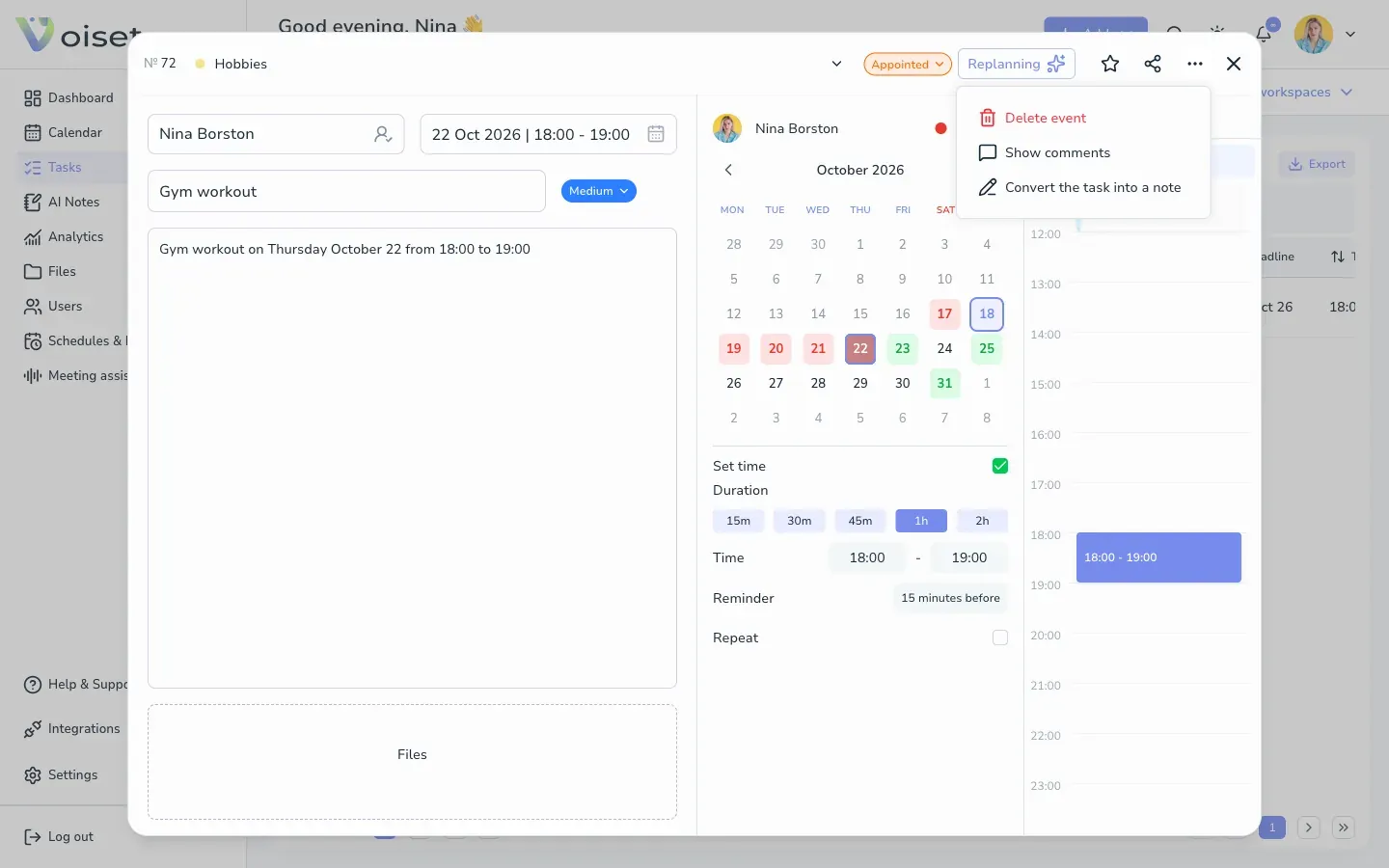
The comments replace the calendar on the right side of the card.
2. Write a comment
Type your message in Add comment at the bottom and press Enter or click the send icon.
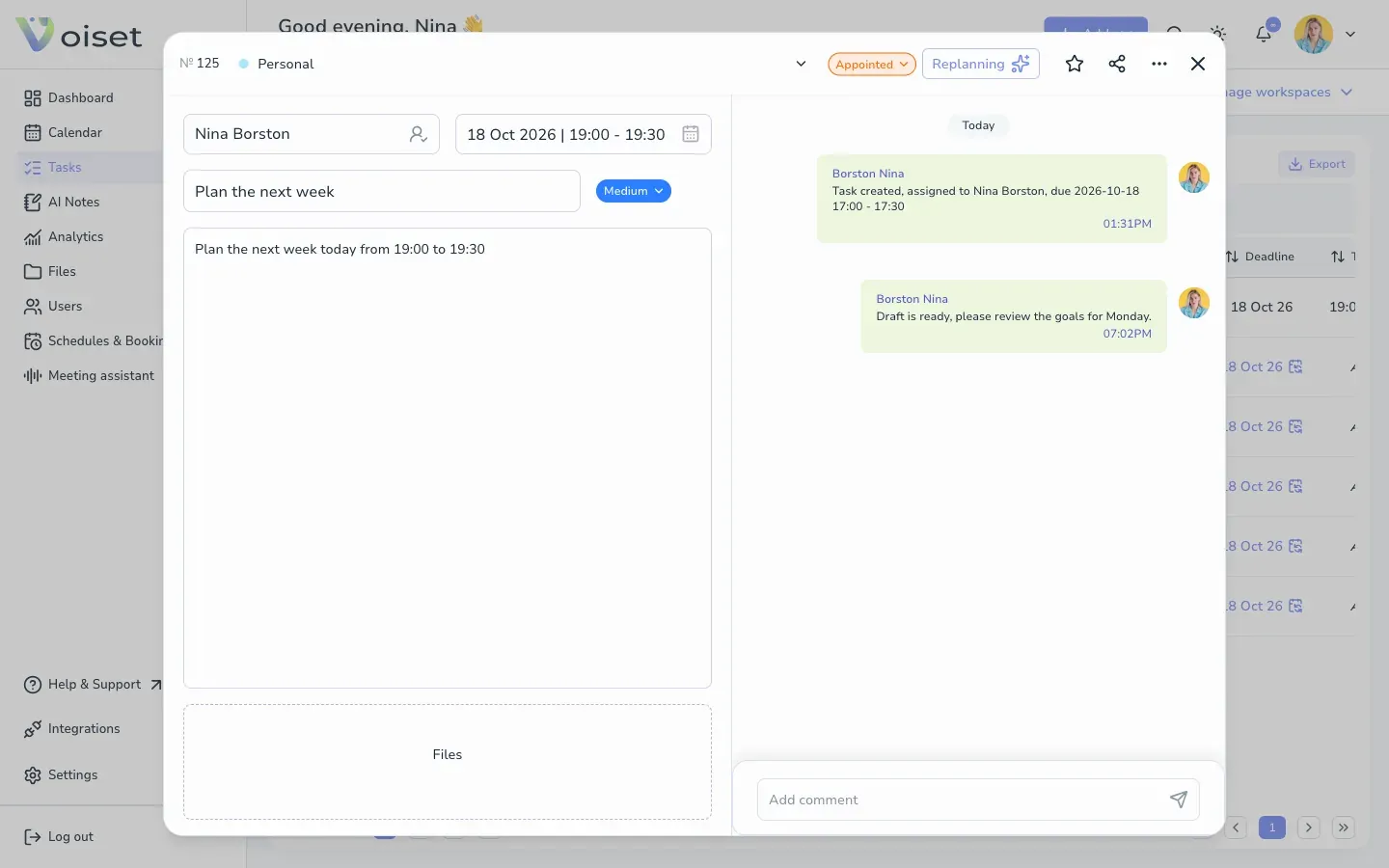
Each comment shows the author and the time. System messages, such as "Task created, assigned to ...", appear in the same thread.
Notifications
Members of the workspace get a notification about new comments if New comments is turned on in their notification settings. See Notifications.