

ChatGPT Integration
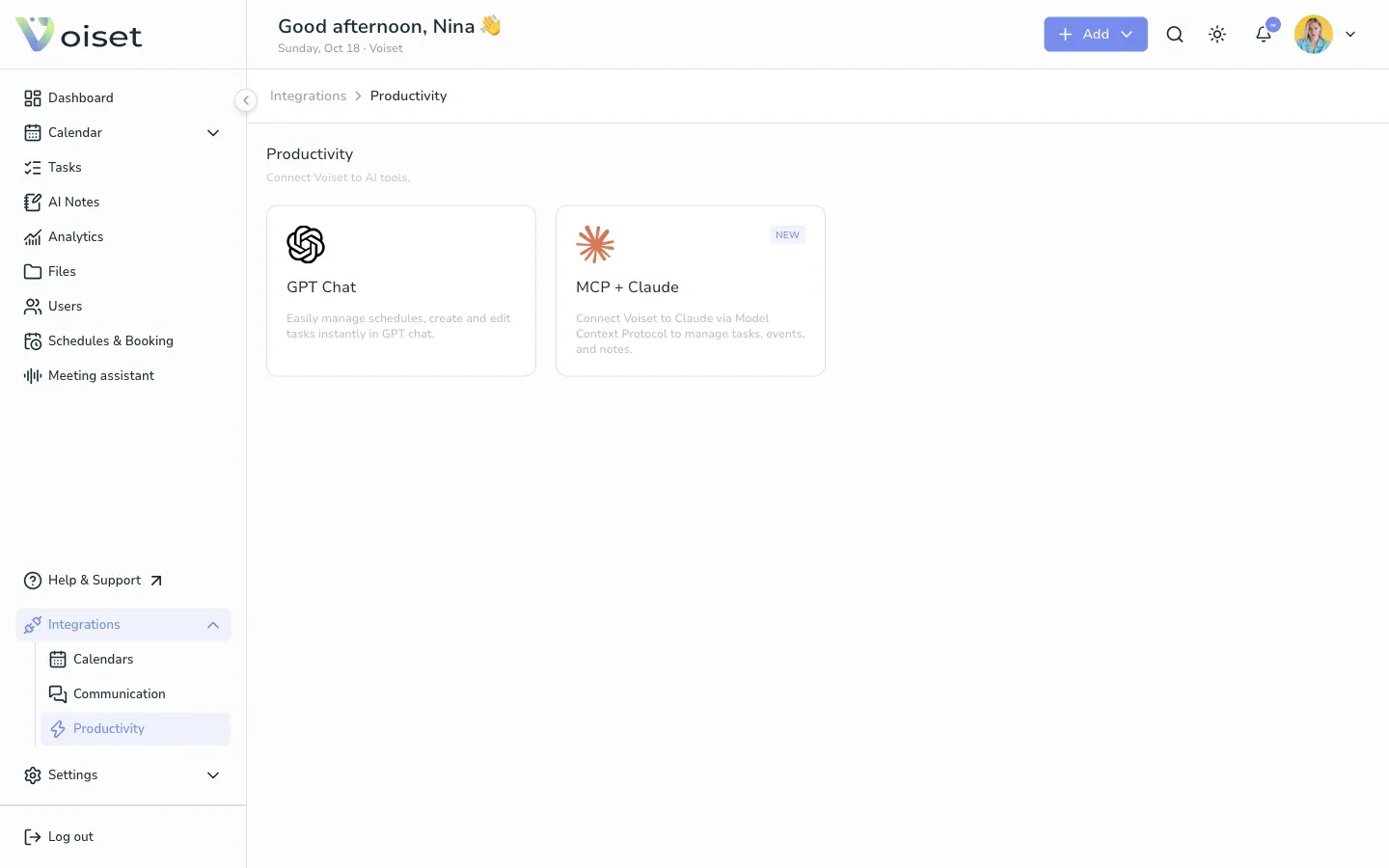
The Voiset GPT lets you manage your schedule from ChatGPT. Ask it to create a task, plan a meeting or save a note, and it appears in Voiset.
What you can do
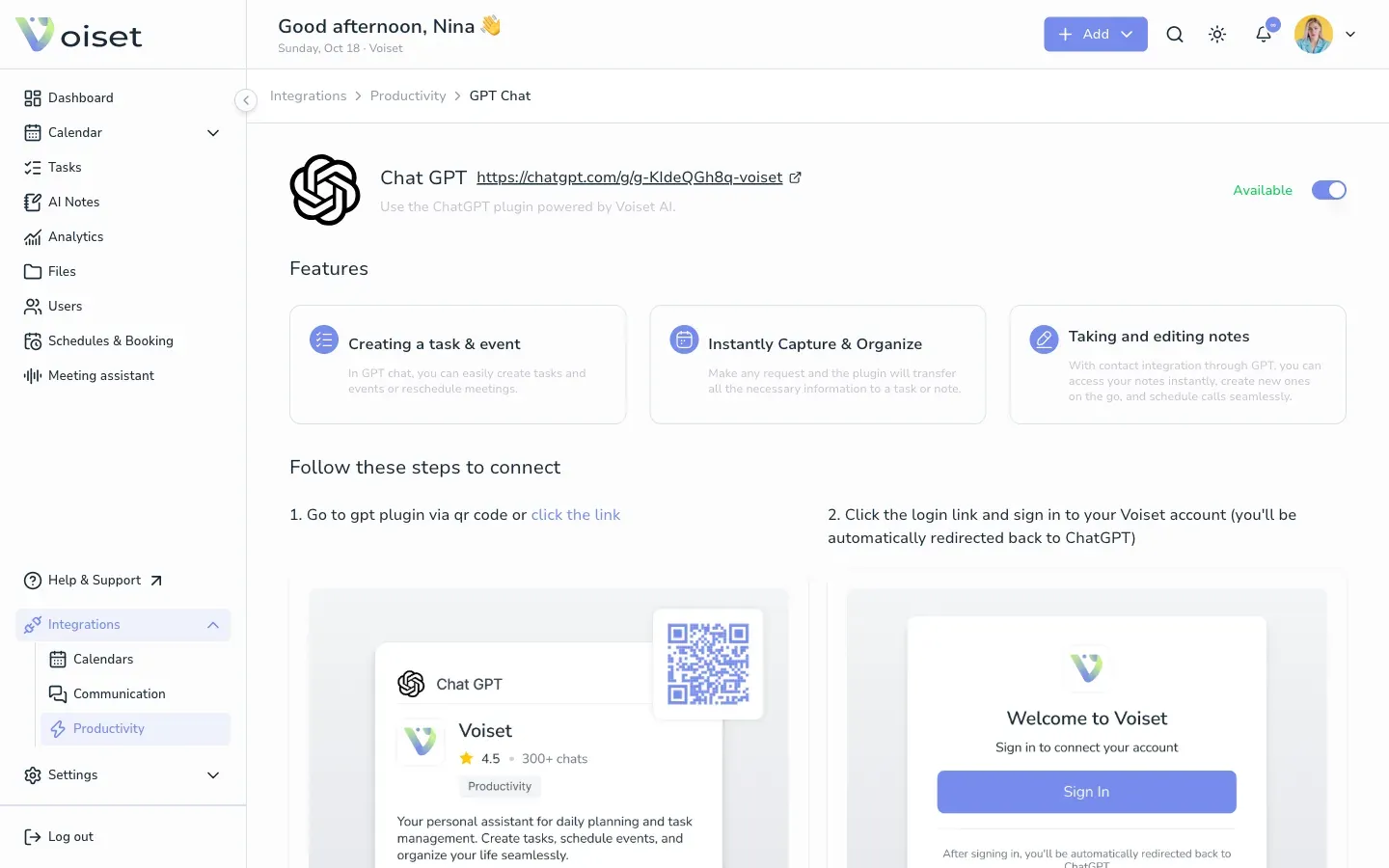
- Create tasks and events: create tasks and events or reschedule meetings right in the chat.
- Capture and organize: make any request and the GPT moves the details into a task or a note.
- Take and edit notes: open your notes, create new ones and schedule calls.
Connect
- In Voiset open Integrations > Productivity and click GPT Chat.
- Scan the QR code or open the Voiset GPT.
- Click the login link in ChatGPT and sign in to your Voiset account. You are redirected back to ChatGPT automatically.
Try it
Write in ChatGPT, for example:
- "Create a task to call the supplier tomorrow at 10 am."
- "Save a note: ideas for the spring campaign."
- "What do I have on Friday?"
Check the result on your Voiset dashboard or in the calendar.
To connect Voiset to Claude instead, see Agents Integration.