

Create Note
Notes are quick thoughts, ideas, or reminders captured without specific dates, assignees, or planning details. More about Smart Notes.
Creating notes is maximally simple across 3 platforms: web app, mobile app (Android/iOS), and AI agent (ChatGPT plugin).
Web app — detailed process
Navigate to the notes section: https://voiset.org/notes
Top panel analysis:
- Shows your current workload
- Indicates which thoughts need planning into tasks (to-do list)
- Helps prioritize note conversion
Color coding by freshness:
- Red — oldest notes (urgent to plan)
- Yellow — medium freshness
- Green — newest notes
Two creation methods:
Method 1: Voice recording
- Click Create note button or + in left sidebar
- Press microphone button
- Speak naturally — system transcribes in real-time
- Automatic title generation after speech ends
- Click Create note
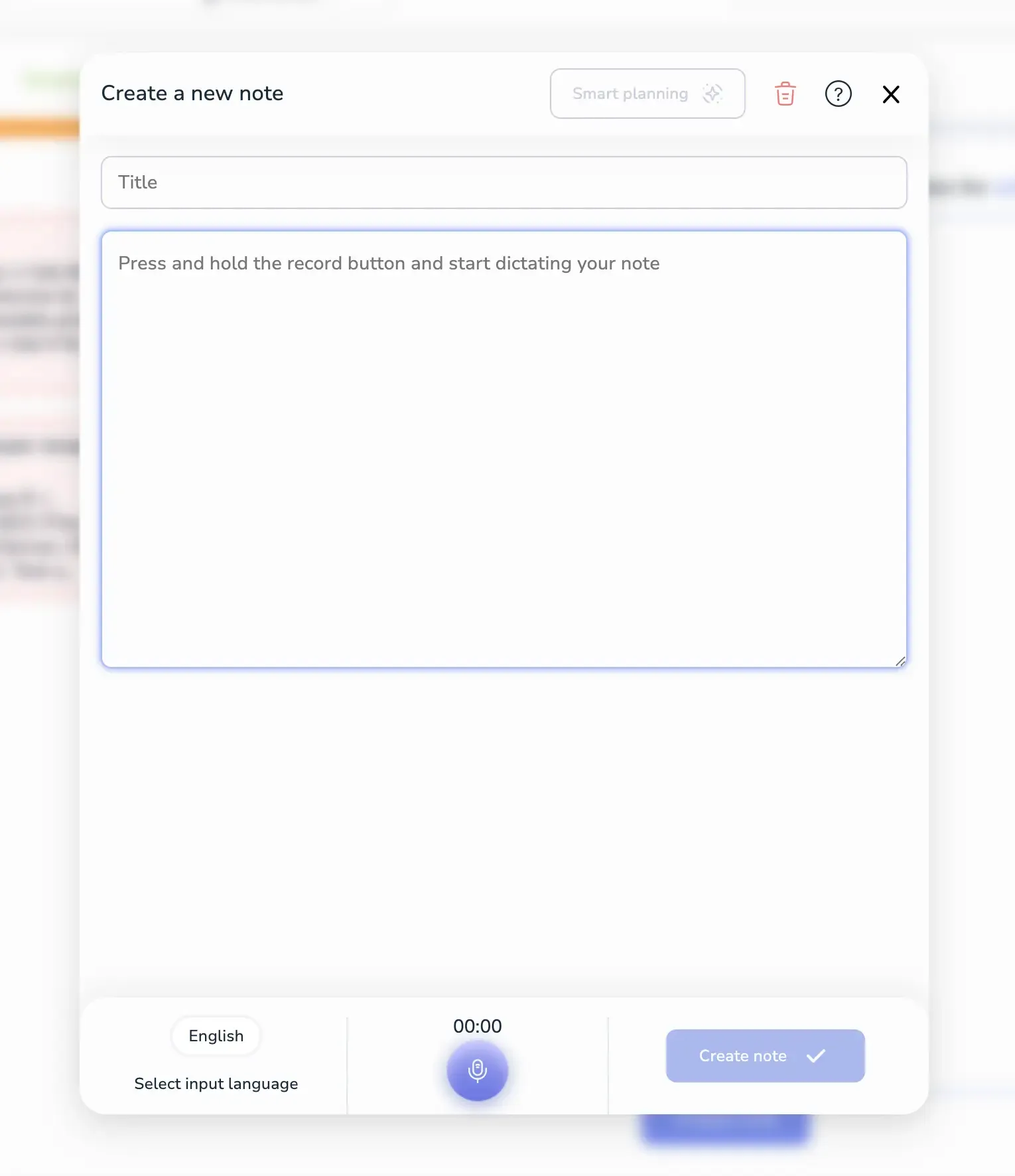
Method 2: Text input
- Paste or type text directly
- Click Smart Planning — AI generates title automatically
- Click Create note
Mobile app (Android/iOS) — step-by-step
Launch Voiset mobile app and select Notes tab.
All notes display in chronological order.
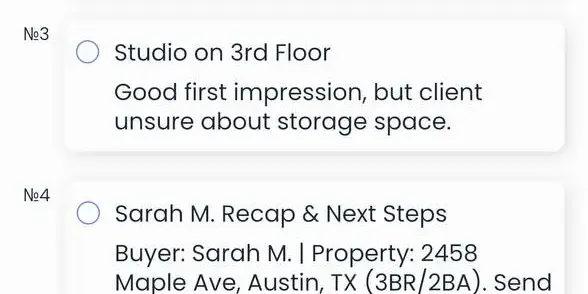
Voice recording process:
- Tap large central + button
- Hold microphone button to record
- Release to stop recording
- System auto-generates title + transcription
- Tap Save

Language selection: Choose any supported language before recording.
AI agent — ChatGPT plugin
Fastest method using our ChatGPT plugin:
https://chatgpt.com/g/g-KIdeQGh8q-ai-task-manager-voiset
Simply write your note request:
Result: Note created automatically with title and full transcription.
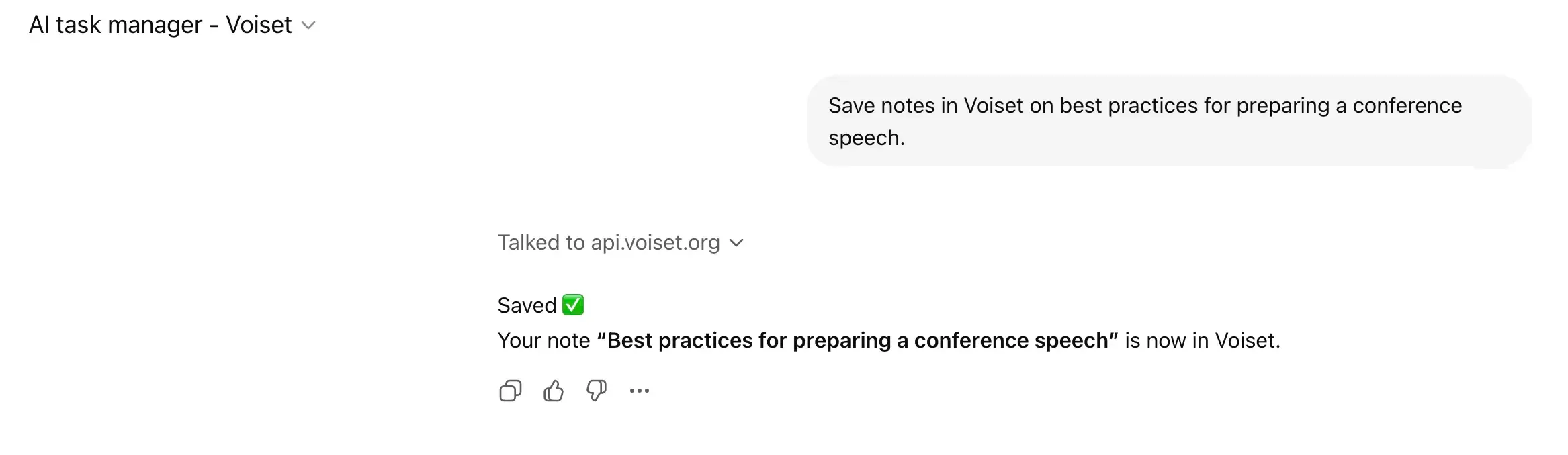
Capabilities: ChatGPT creates notes from images, web content analysis, or any conversation context. More details: ChatGPT plugin.
Note management workflow
Drag & drop planning:
- Left panel — all notes (color-coded by age)
- Right panel — notes for task conversion
- Drag notes you want to schedule
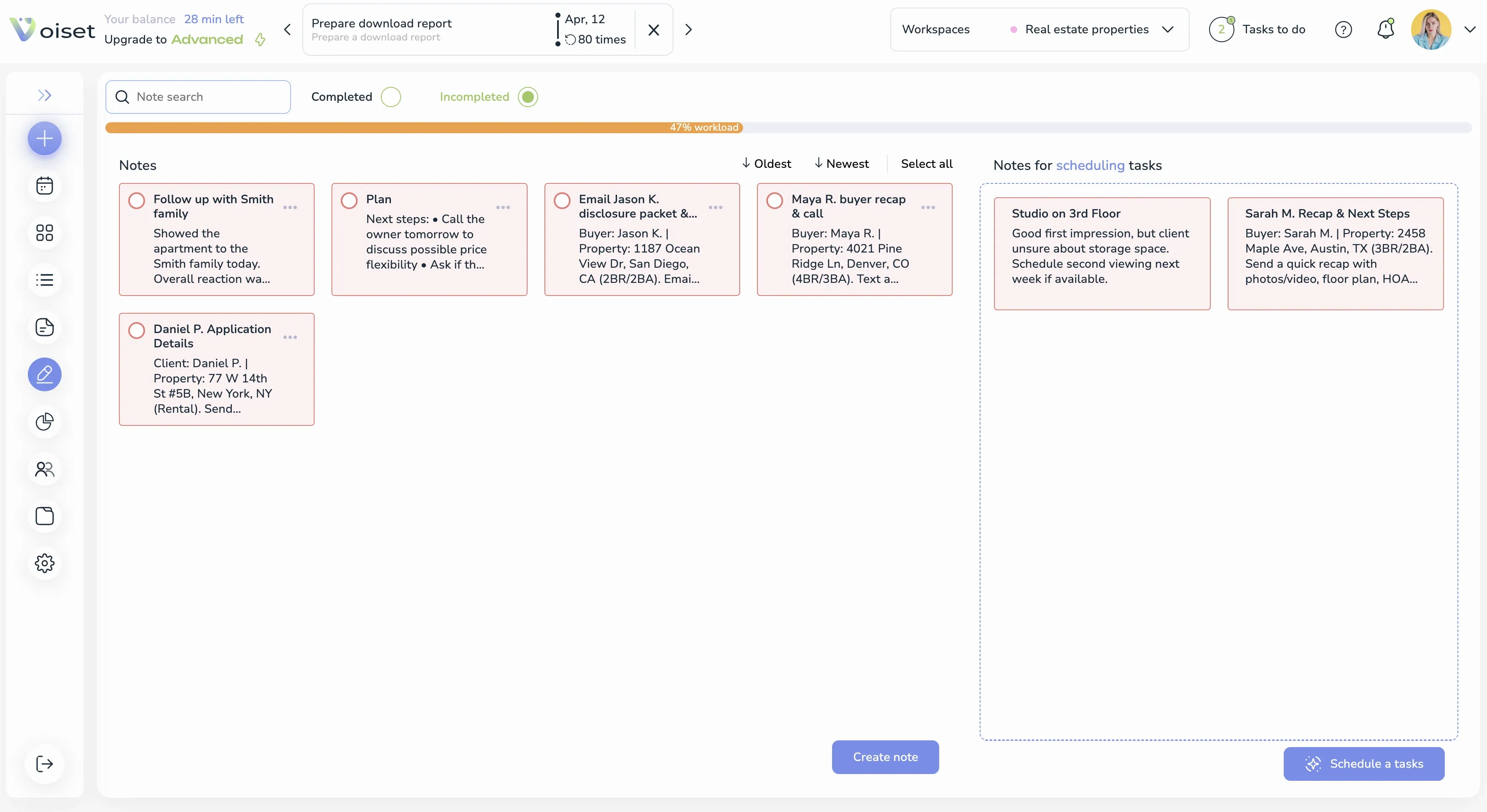
Next step: Convert notes to tasks — Convert Note to Task
Key benefits
✅ Voice-first across all platforms
✅ Automatic title generation
✅ Multi-language support
✅ Works everywhere (web/mobile/AI)
✅ Visual workload indicators
✅ Color-coded priority system
Process is identical across web app and mobile — same simple flow everywhere.