

Telegram Integration
The Voiset Telegram bot sends you notifications and answers questions about your schedule, so you can check your day without opening the app.
What the bot can do
- Get your daily schedule: ask the bot for your plan and get a clear overview of tasks, meetings and events.
- Receive notifications: task changes and reminders come straight to Telegram.
- Instant updates: ask about your tasks, meetings and events at any time.
Connect the bot
1. Open the Telegram settings
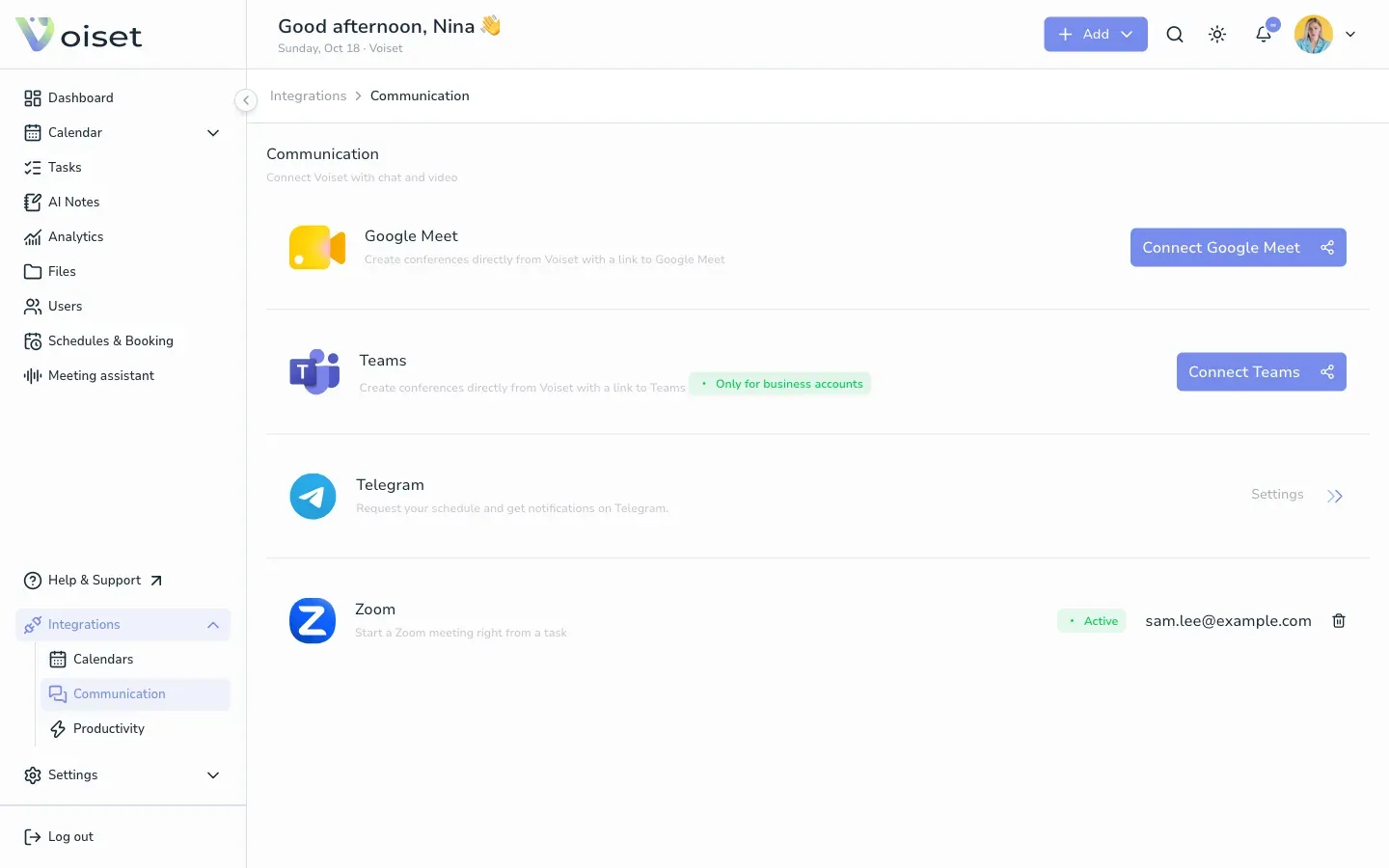
In the left menu open Integrations > Communication and click Settings in the Telegram row.
2. Follow the three steps
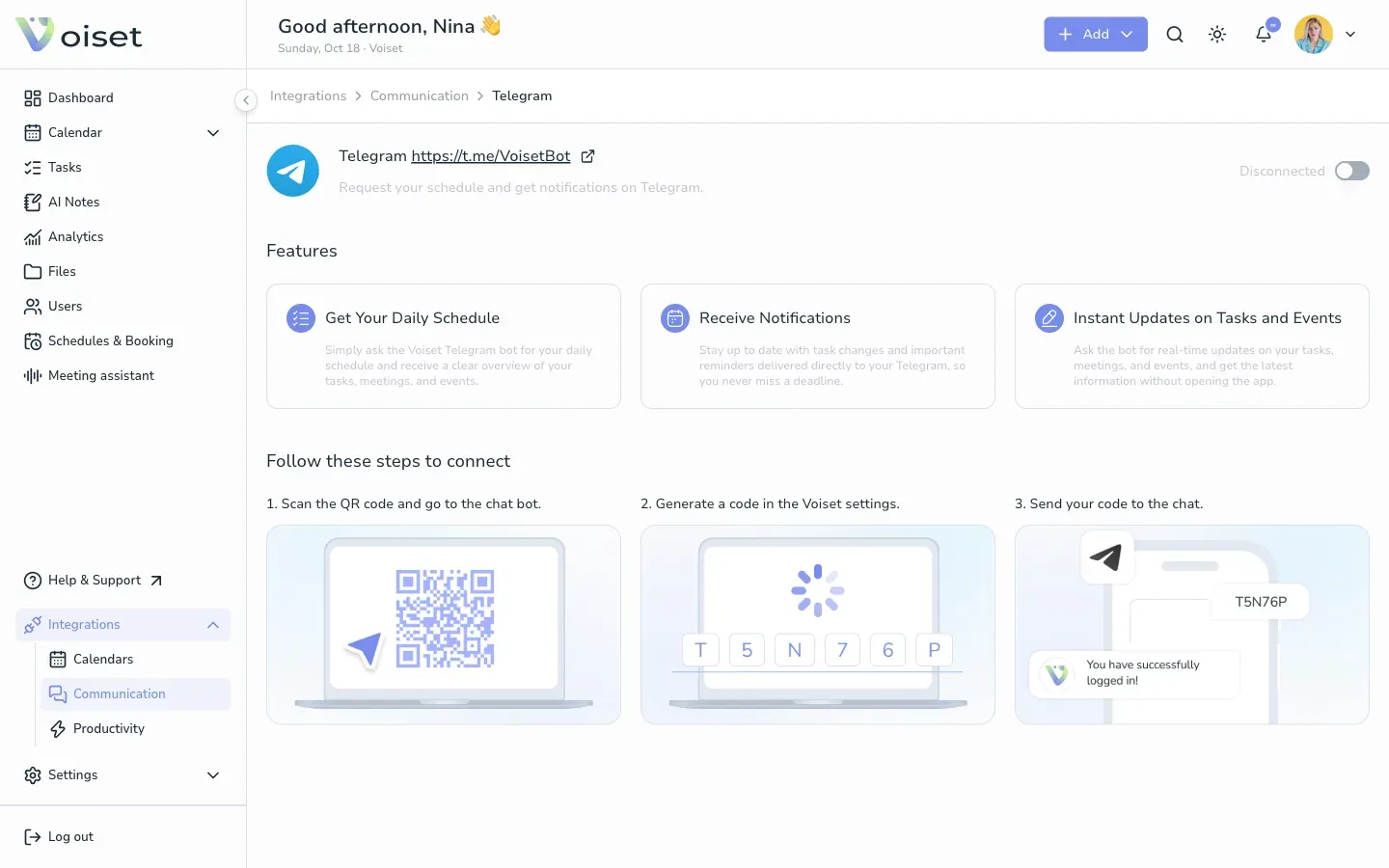
- Turn on the switch at the top right of the page. Voiset shows a QR code and Your login data: a login and a code.
- Scan the QR code with your phone, or open t.me/VoisetBot, to start a chat with the bot.
- Send your code to the chat with the bot. The copy buttons next to the login and the code copy them for you.
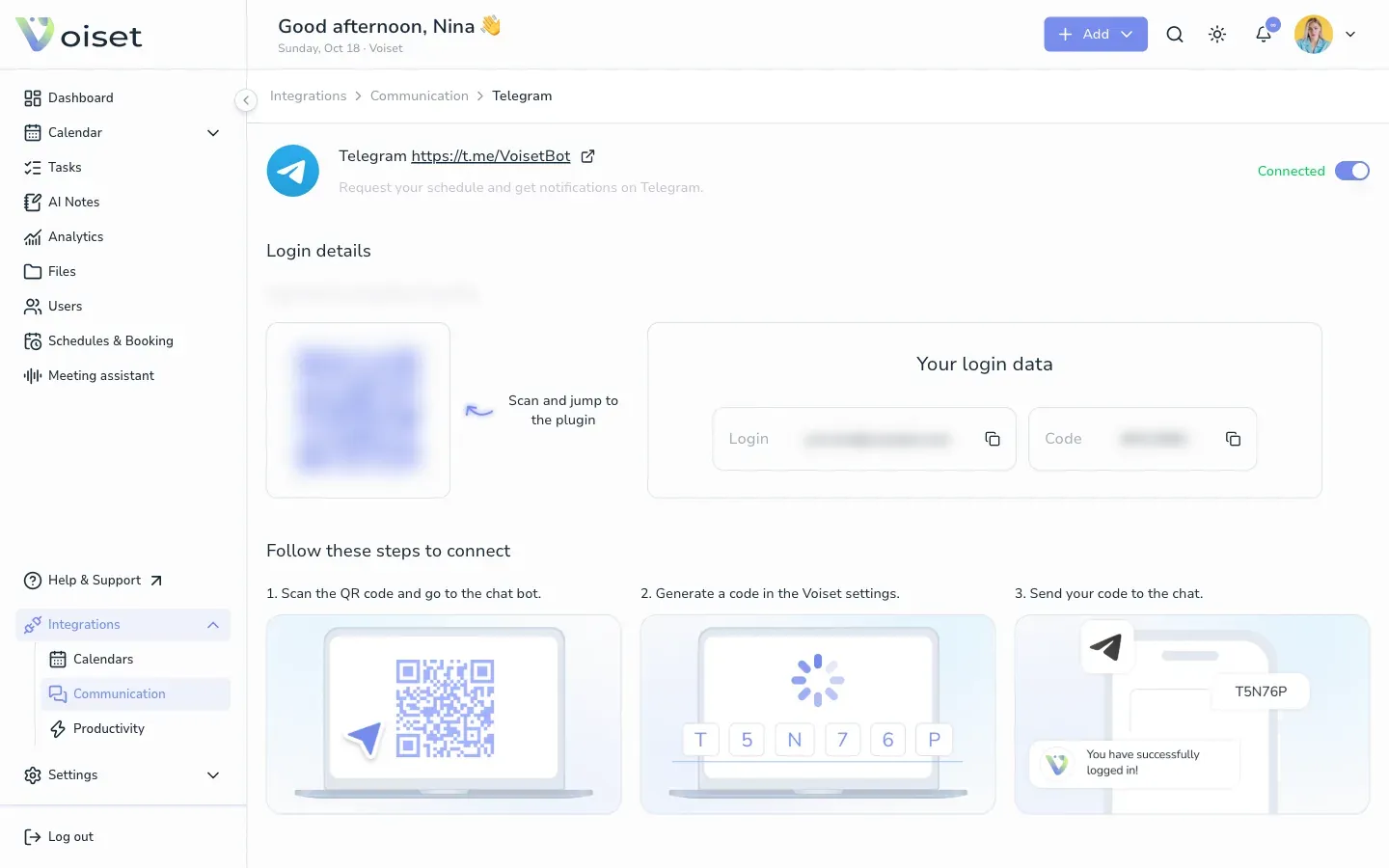
The bot replies that you have logged in. Login data is stored for 6 months.
Disconnect
Open the same page and turn the switch off.