

Remove Account
If you decide to delete your Voiset account and all related data, the process is simple.
All account data and workspace members will be permanently deleted after 60 days. If you own workspaces, all their data will also be deleted.
How to delete your account
- Go to your account settings page:
https://voiset.org/settings/profile/main
- Scroll down and click Delete account.
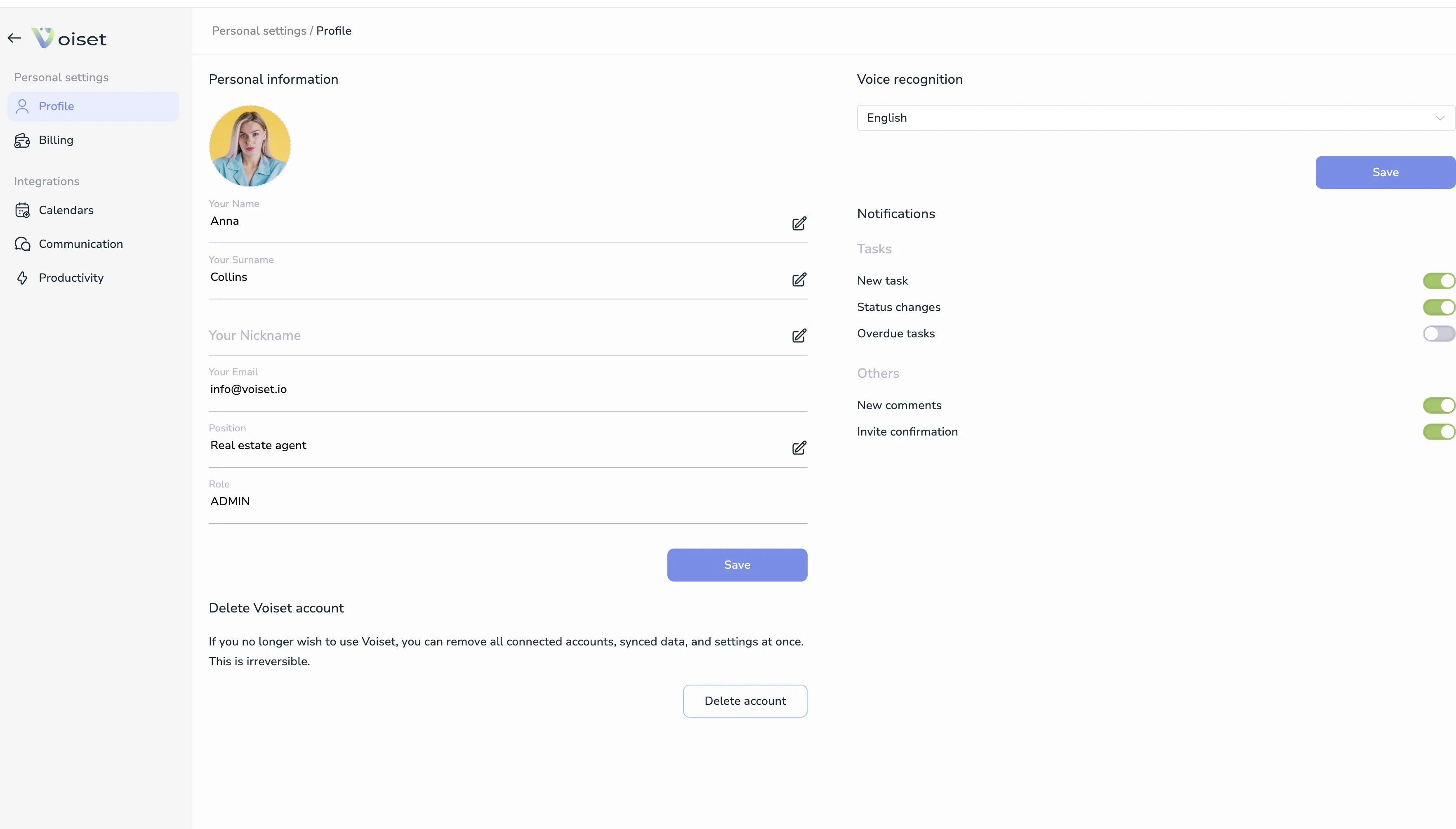
- In the confirmation dialog, select the reason for deletion.
- Click Delete.
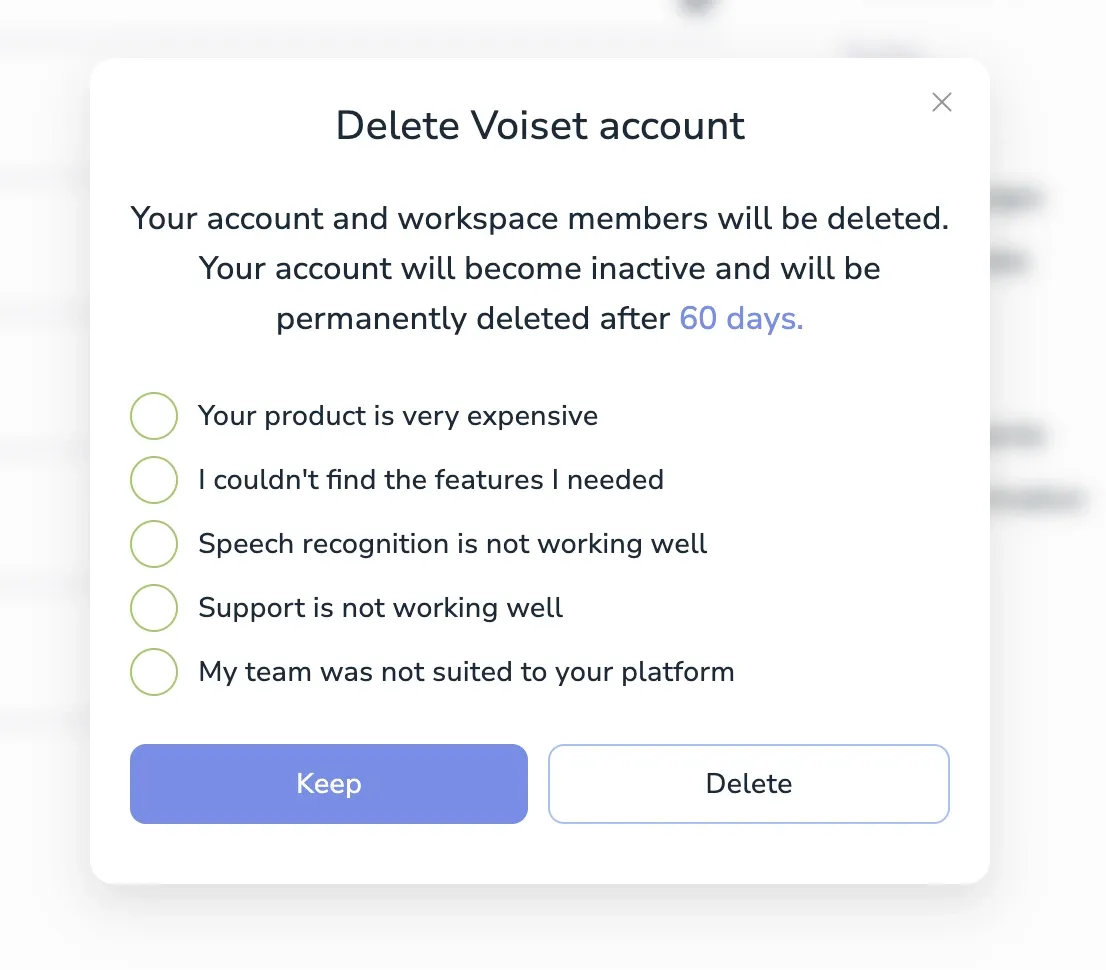
What happens after deletion
After confirming:
- You will be logged out immediately.
- You will not be able to log in again.
- All your data will be permanently deleted after 60 days.
- Any active subscription will be automatically canceled.
This action is irreversible. Please make sure before proceeding.
Workspace owners
If you own workspaces:
- All workspace data will be deleted.
- Invited users will be removed.
- No data can be recovered.
Need help?
Contact us before deleting if you have questions. We're here to help.