

Cancel Subscription
We’re sorry you decided to cancel your subscription. The process is simple and takes only a few clicks.
If you started your trial or subscribed through the Android or Apple mobile app, cancellation must be done in the corresponding app store. Voiset support cannot cancel those subscriptions for you.
Cancel from the web
If you purchased your plan on the web, sign in to the owner account and open the billing page:
https://voiset.org/settings/profile/billing
Only the account owner can manage the subscription. On this page, you can also change your plan with Manage plan.
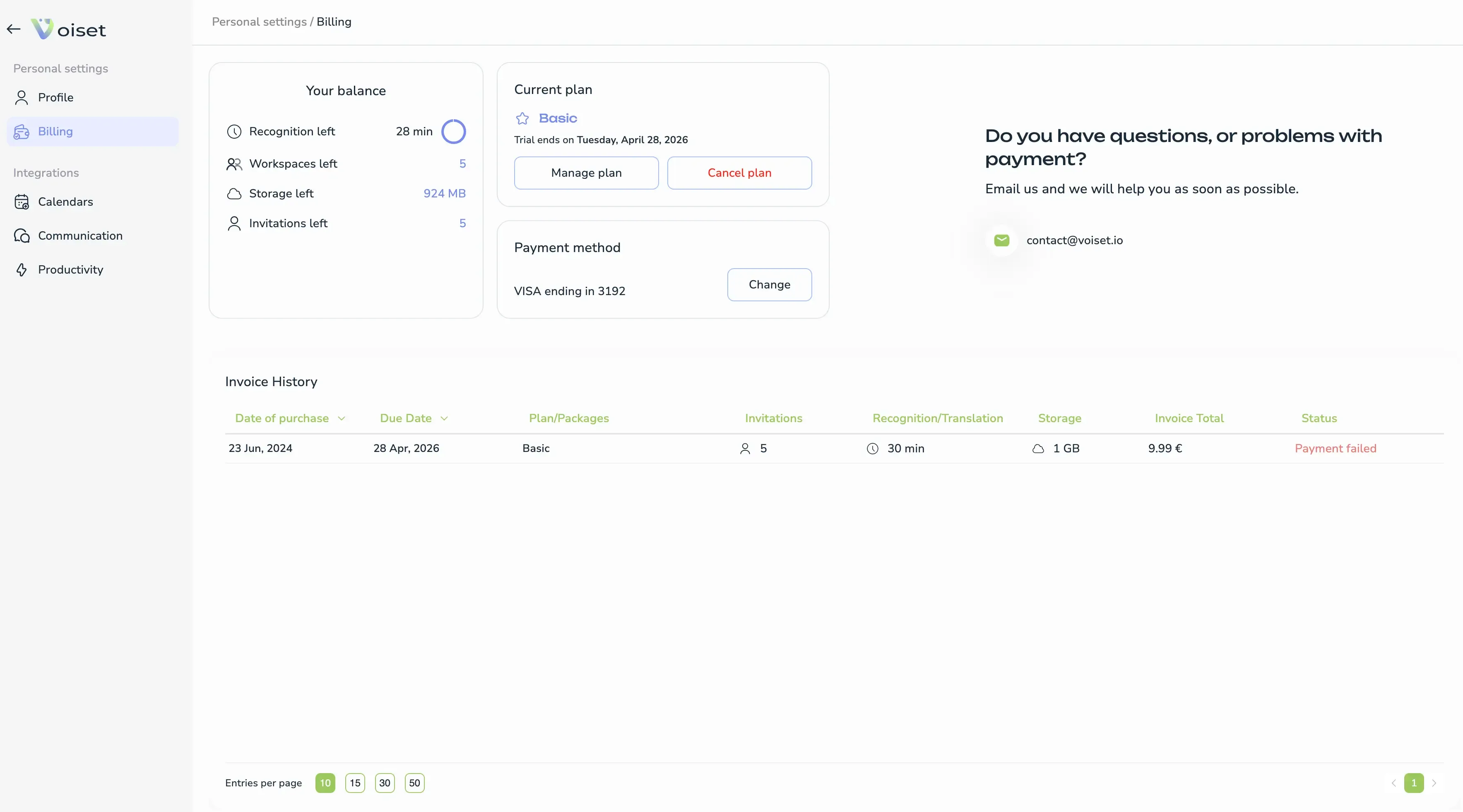
How to cancel
- Open the billing page.
- Click Cancel plan.
- Choose the reason for canceling.
- Confirm the cancellation.
After confirmation, your subscription will remain active until the end of the current billing period or trial period.
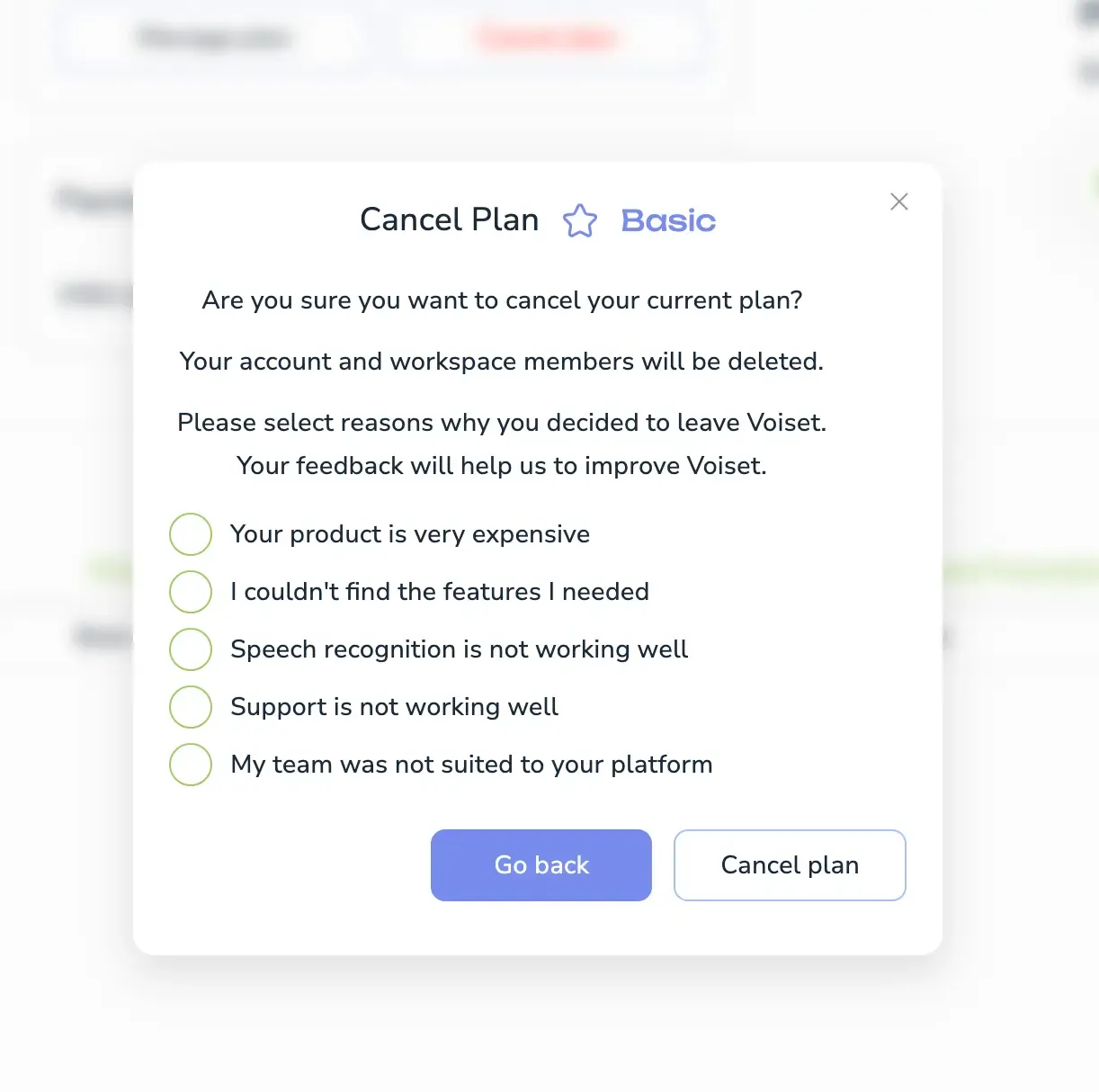
What happens after cancellation
After cancellation:
- Your subscription will not renew.
- Owner-only options will no longer be available.
- If you were invited to a workspace, you can continue using the service as a workspace member.
Pricing
If you want to review plans before canceling or compare options, see the pricing page:
Need help with billing? Contact support and we’ll help as soon as possible.