

Notifications
Voiset tells you about new tasks, status changes, comments, team news and upcoming events.
Read notifications
Click the bell at the top of the screen. The number on the bell shows unread notifications.
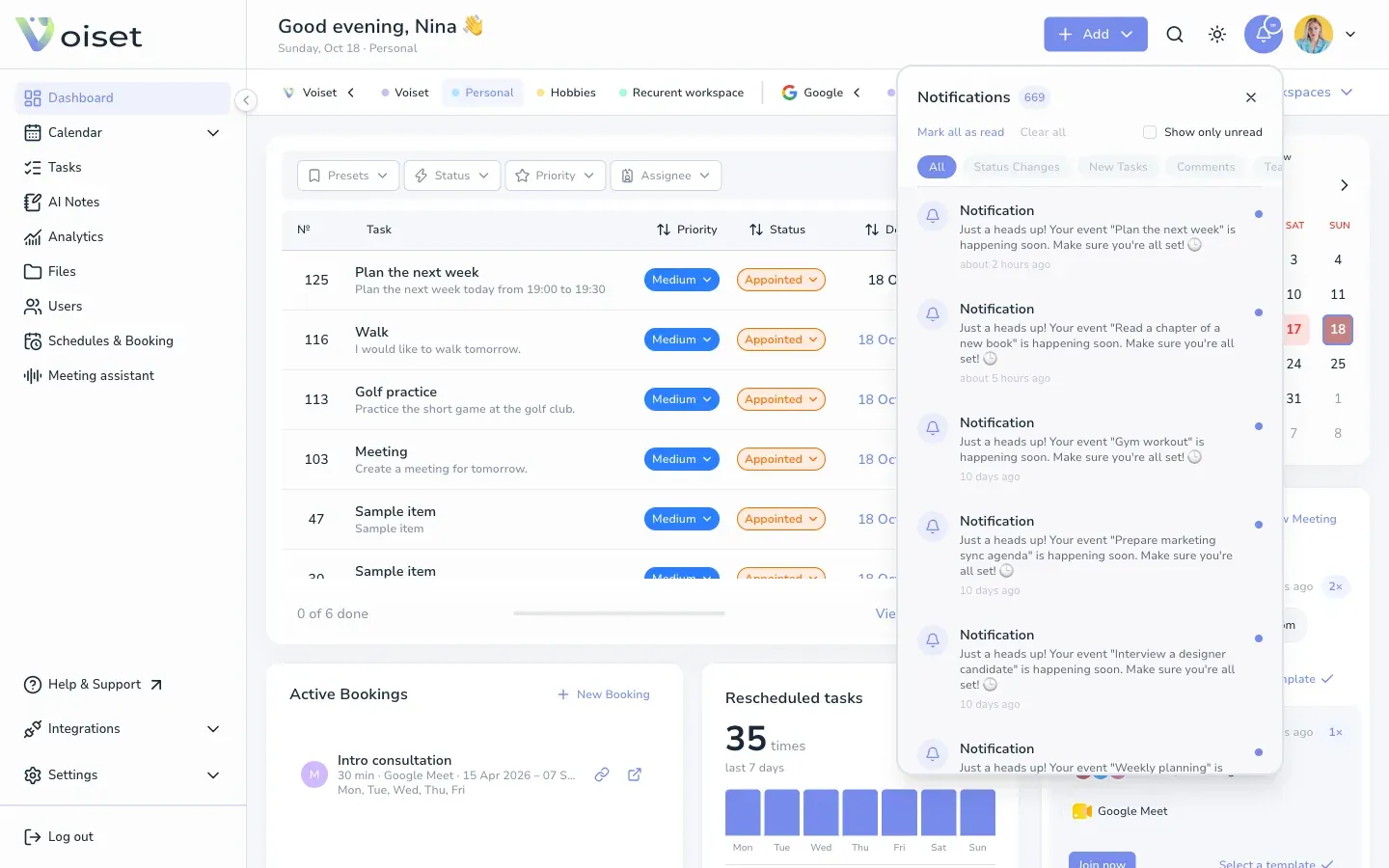
- Switch between All, Status Changes, New Tasks, Comments and Team.
- Turn on Show only unread to hide what you have already seen.
- Click Mark all as read to clear the counter.
- Click Clear all to remove all notifications.
Reminders like "Your event ... is happening soon" come before tasks with a time, based on the Reminder you set in the task.
Choose what you receive
Open Settings > Profile and find Notifications on the right.
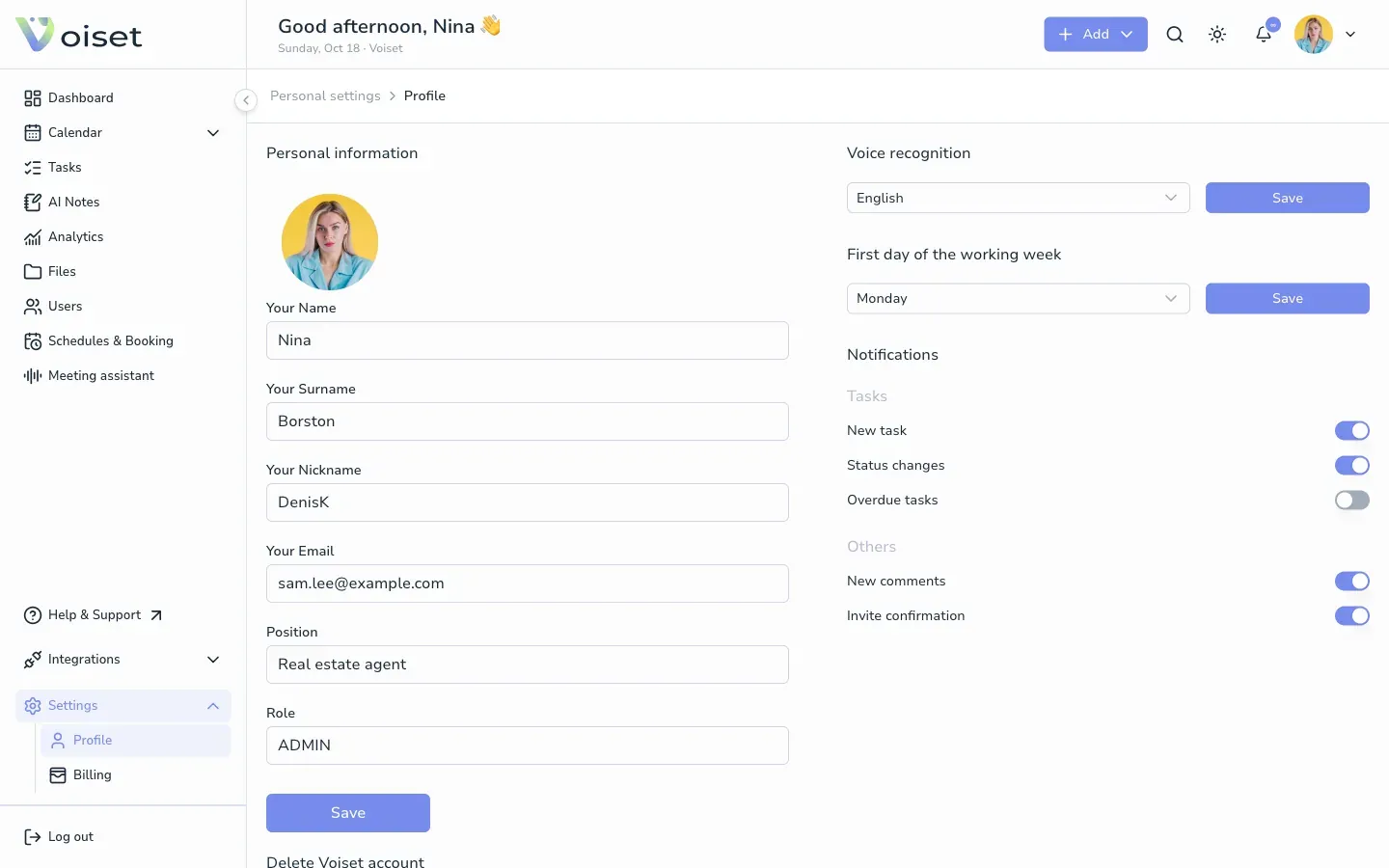
Tasks
- New task: someone assigned a task to you.
- Status changes: the status of your task changed.
- Overdue tasks: a task passed its deadline.
Others
- New comments: someone commented on your task.
- Invite confirmation: news about your workspace invitations.
Turn each switch on or off.
Get notifications in Telegram
Connect the Voiset bot to receive notifications in Telegram. See Telegram Integration.