

Profile Settings
Open Settings > Profile in the left menu, or click your photo at the top and choose Settings profile.
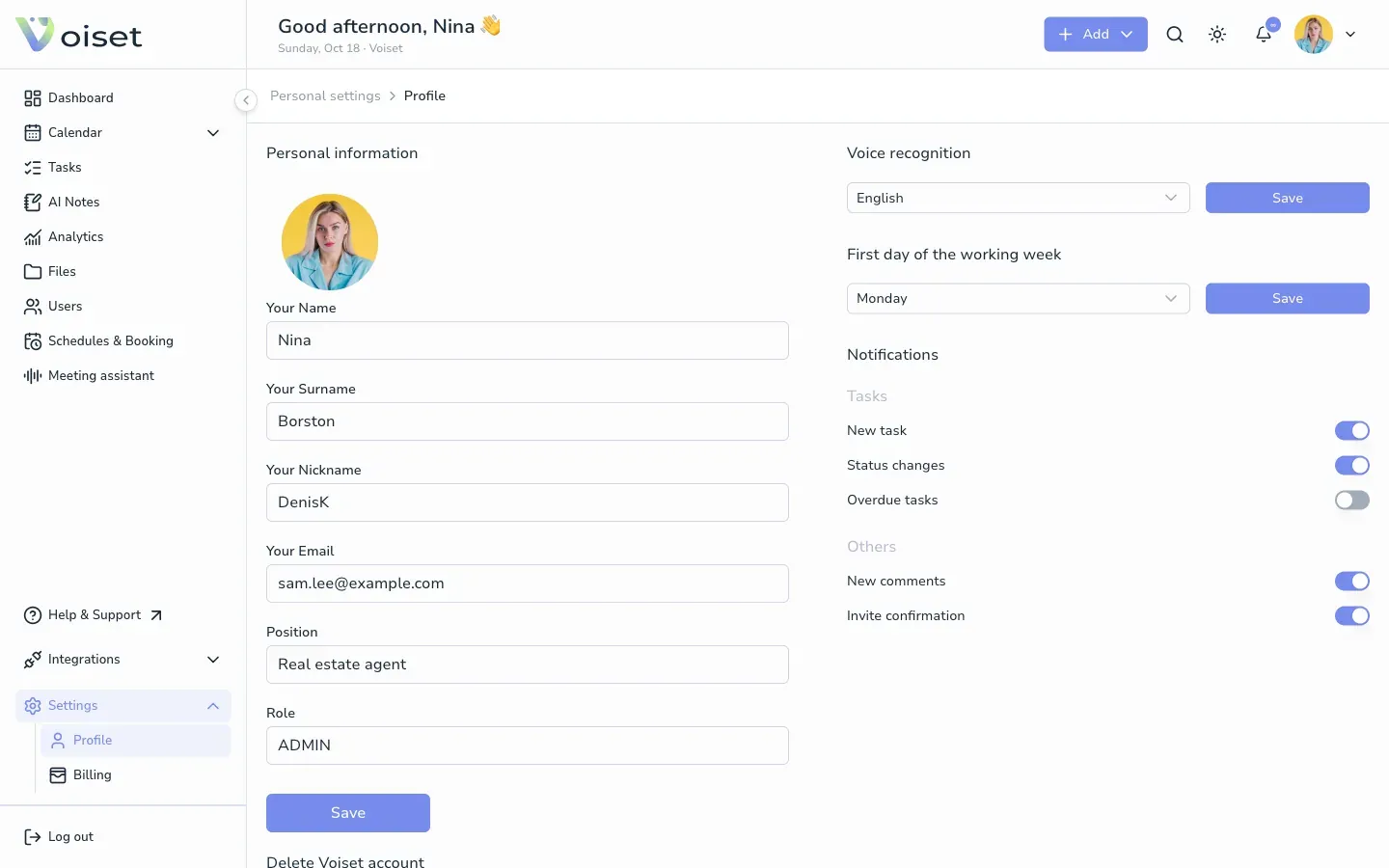
Personal information
- Your Name and Your Surname: shown to your team and in invitations.
- Your Nickname: part of your booking page link (
booking.voiset.io/shared/schedule/your-nickname/...). It must be unique. - Your Email: the email you log in with.
- Position: your job title, shown in the user lists.
- Role: your role in the account.
Change the fields and click Save.
Voice recognition
Choose the language Voiset uses by default to recognize your voice in tasks and notes. Click Save.
You can still pick another language for a single recording in the task or note form.
First day of the working week
Choose Monday or another day. The calendars start the week on this day. Click Save.
Notifications
Turn on or off the notifications you want to receive. See Notifications.
Delete your account
At the bottom of the page you find Delete Voiset account. See Remove Account.