

Plans and Billing
Open Settings > Billing in the left menu, or click your photo at the top and choose Billing. Only the owner of the account can manage the plan.
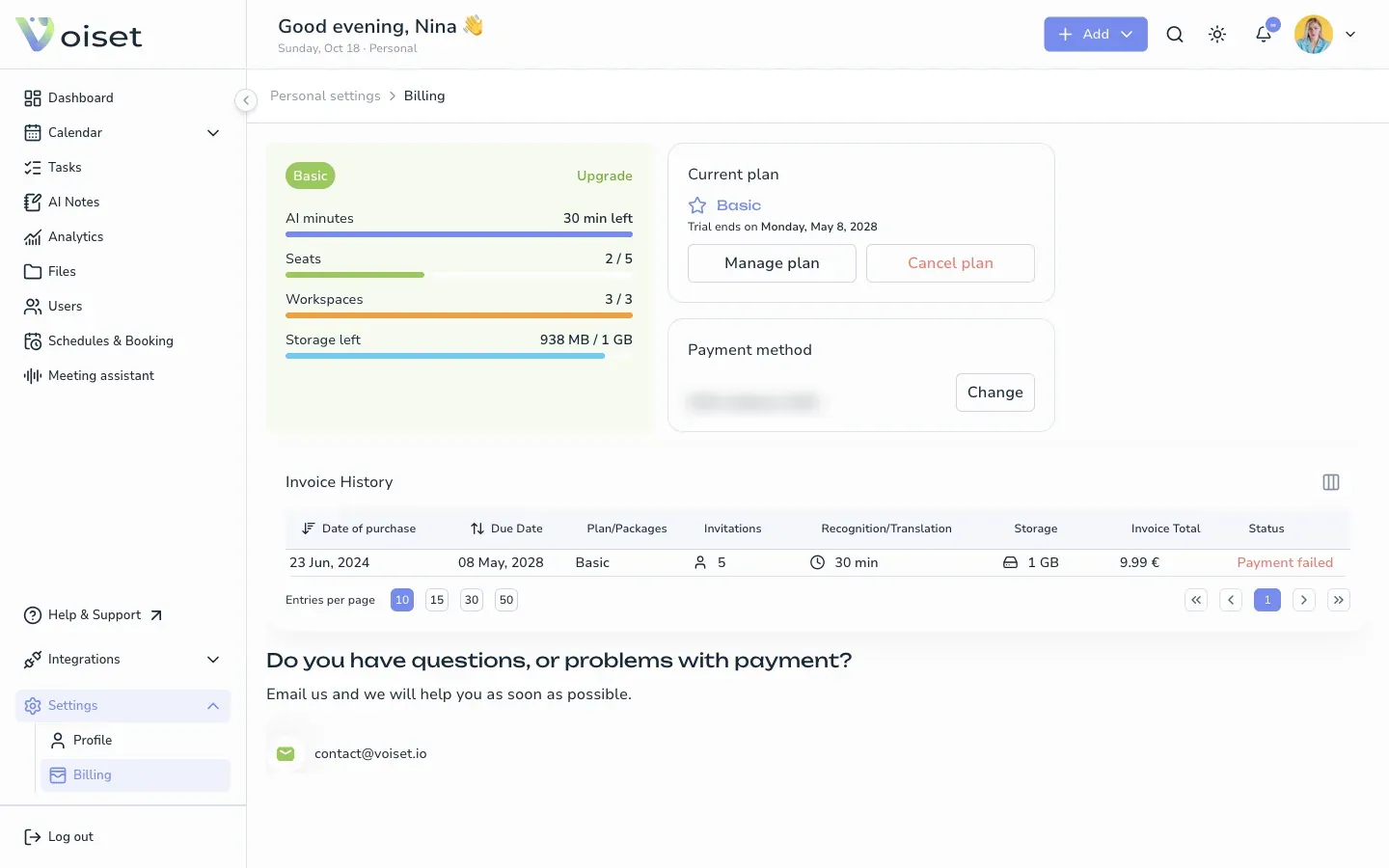
Your usage
The card on the left shows your plan and how much of it you use:
- AI minutes: voice recognition minutes left this month,
- Seats: users in your workspaces,
- Workspaces: workspaces you created,
- Storage left: space for files.
When a limit is reached, upgrade the plan or free up space.
Current plan
The Current plan card shows your plan and the end of the trial or the next payment date.
- Manage plan: compare plans and switch to another one.
- Cancel plan: stop the subscription. See Cancel Subscription.
Compare and change plans
Click Manage plan or Upgrade. Choose Monthly or Annually (2 months for free) and pick a plan.
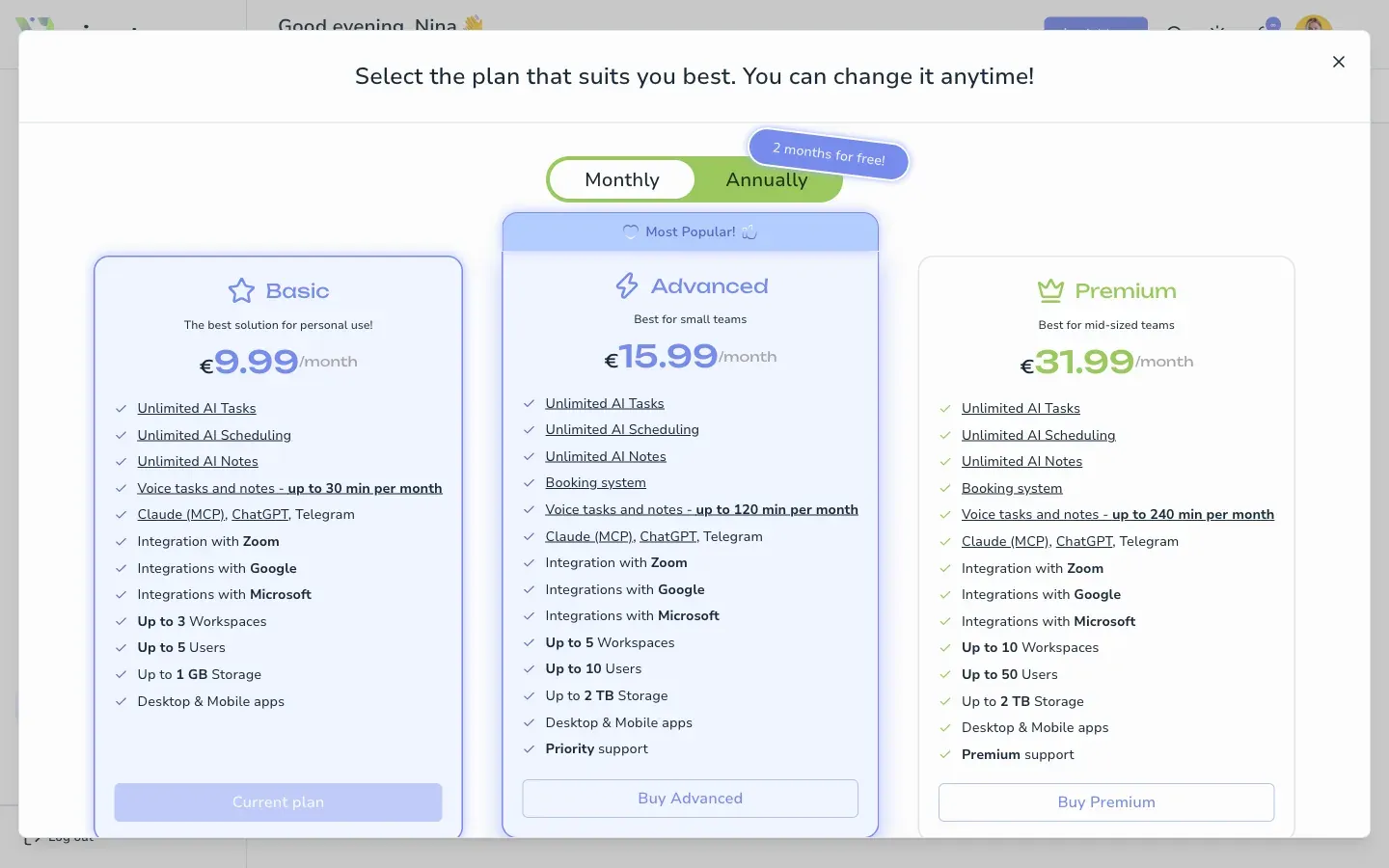
| Basic | Advanced | Premium | |
|---|---|---|---|
| Best for | Personal use | Small teams | Mid-sized teams |
| Voice tasks and notes | 30 min per month | 120 min per month | 240 min per month |
| Workspaces | up to 3 | up to 5 | up to 10 |
| Users | up to 5 | up to 10 | up to 50 |
| Storage | 1 GB | 2 TB | 2 TB |
| Booking system | yes | yes |
All plans include unlimited AI tasks, AI scheduling and AI notes, Claude (MCP), ChatGPT and Telegram, Zoom, Google and Microsoft integrations, and the desktop and mobile apps. Current prices are on the pricing page.
Payment method and invoices
- Payment method shows the card on file. Click Change to use another card.
- Invoice History lists your payments with the plan, limits, total and status.
If you have questions about payments, write to contact@voiset.io.
Subscriptions from the App Store or Google Play
If you subscribed in the iOS or Android app, manage the plan in the store where you bought it.