

Schedule a Meeting with a Contact
When you open a contact, you can book a call with them in one click. Voiset adds the person to the participants for you.
1. Open the contact
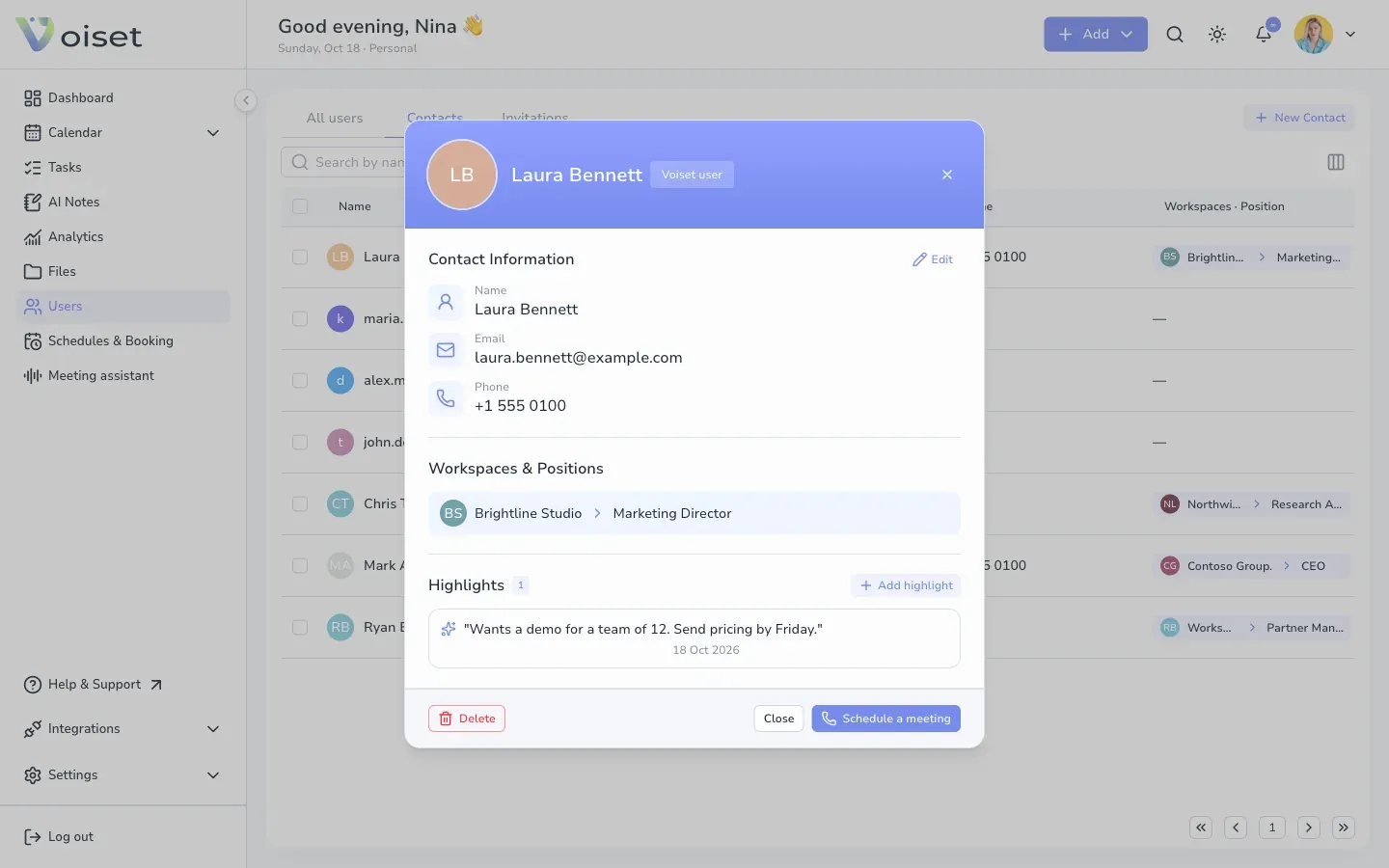
- Click Users in the left menu and open the Contacts tab.
- Click the person.
2. Schedule the meeting
Click Schedule a meeting at the bottom of the card.
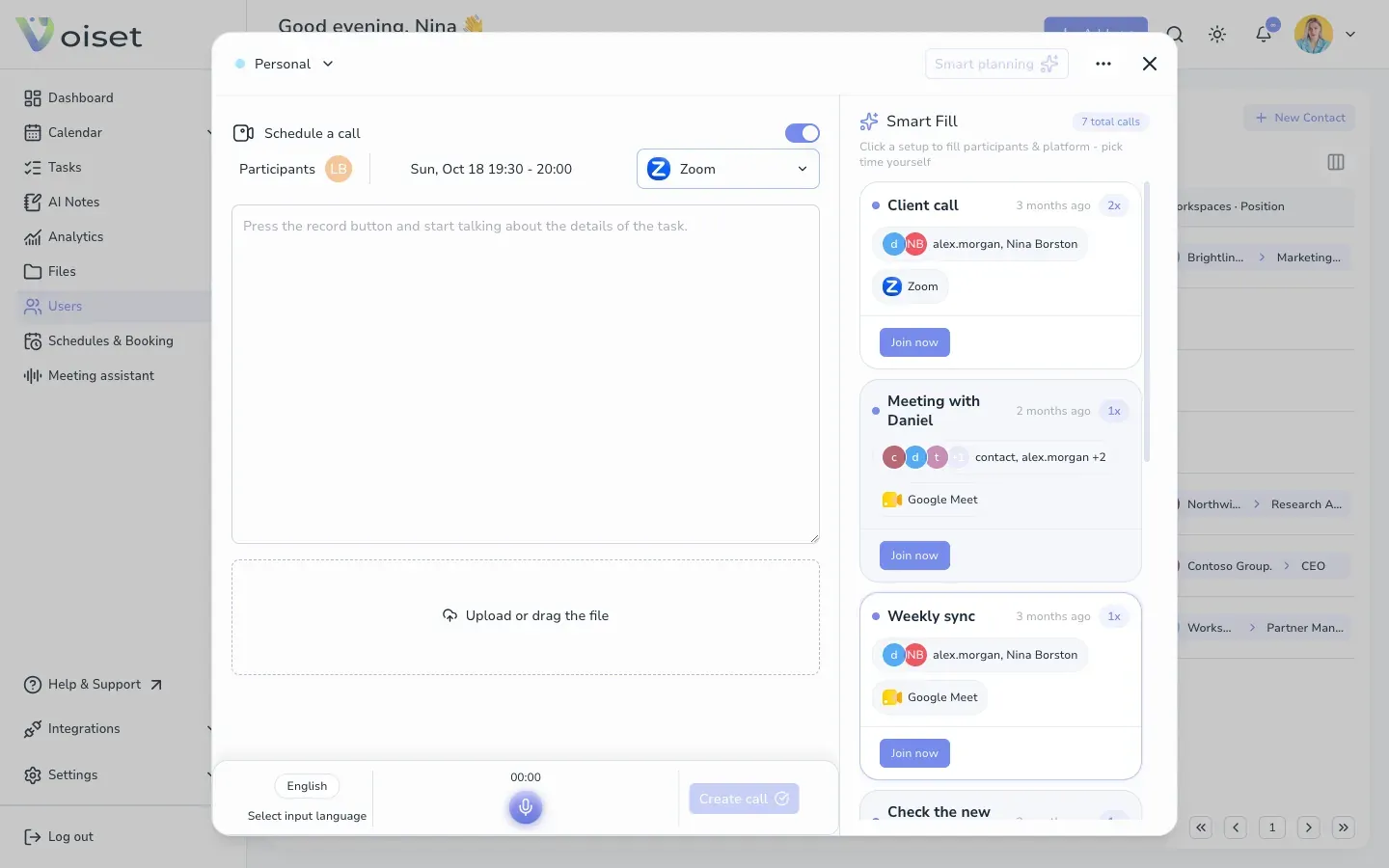
The call form opens with the contact already in Participants.
3. Finish the call
- Choose the platform: Zoom, Google Meet or Teams.
- Click the date and time and pick a slot. The best time to call suggests free slots.
- Type or dictate the topic.
- Click Create call.
More details in Create a Meeting.
Keep notes about the meeting
After the call, add a highlight to the contact: what you discussed and what comes next. See Contact Card.