

Meeting Assistant
The meeting assistant listens to a conversation and writes it down as you talk. Use it for meetings, calls, interviews or lectures.
1. Open the meeting assistant
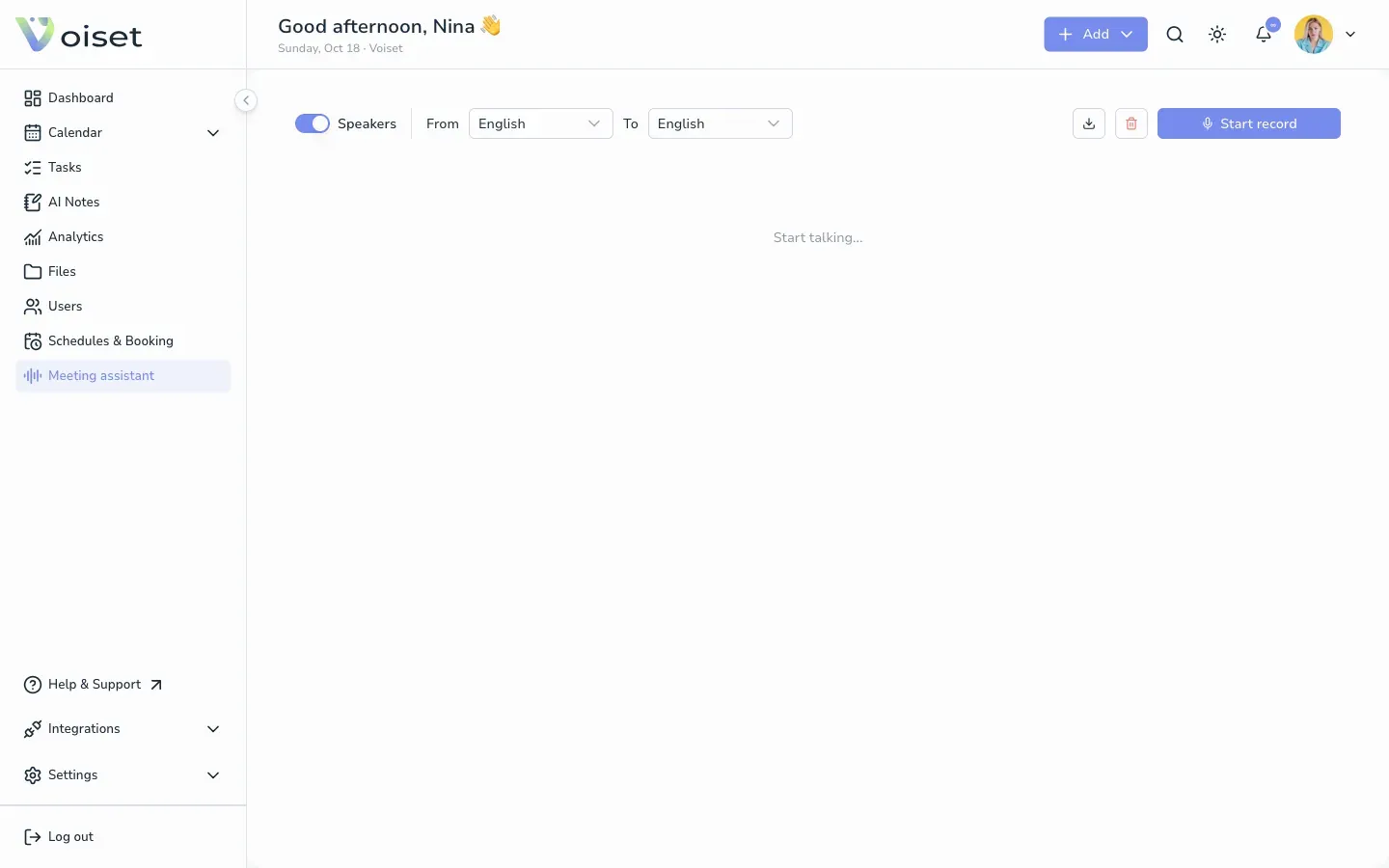
Click Meeting assistant in the left menu.
2. Set up the recording
- Speakers: keep it on to split the transcript by speaker.
- From: the language people speak.
- To: the language of the transcript. Choose a different language to get a translation.
3. Record
Click Start record and allow access to the microphone if your browser asks. Start talking. The text appears on the screen as you speak.
Stop the recording when the conversation is over.
4. Save or clear
- Click the download icon to save the transcript.
- Click the trash icon to clear it and start again.