

Quick Meetings
The Quick Meetings panel on the Dashboard collects your recent calls. Use it to join a call in one click or to set up a new call with the same people and platform.
Find the panel
Open Dashboard in the left menu. Quick Meetings is on the right side.
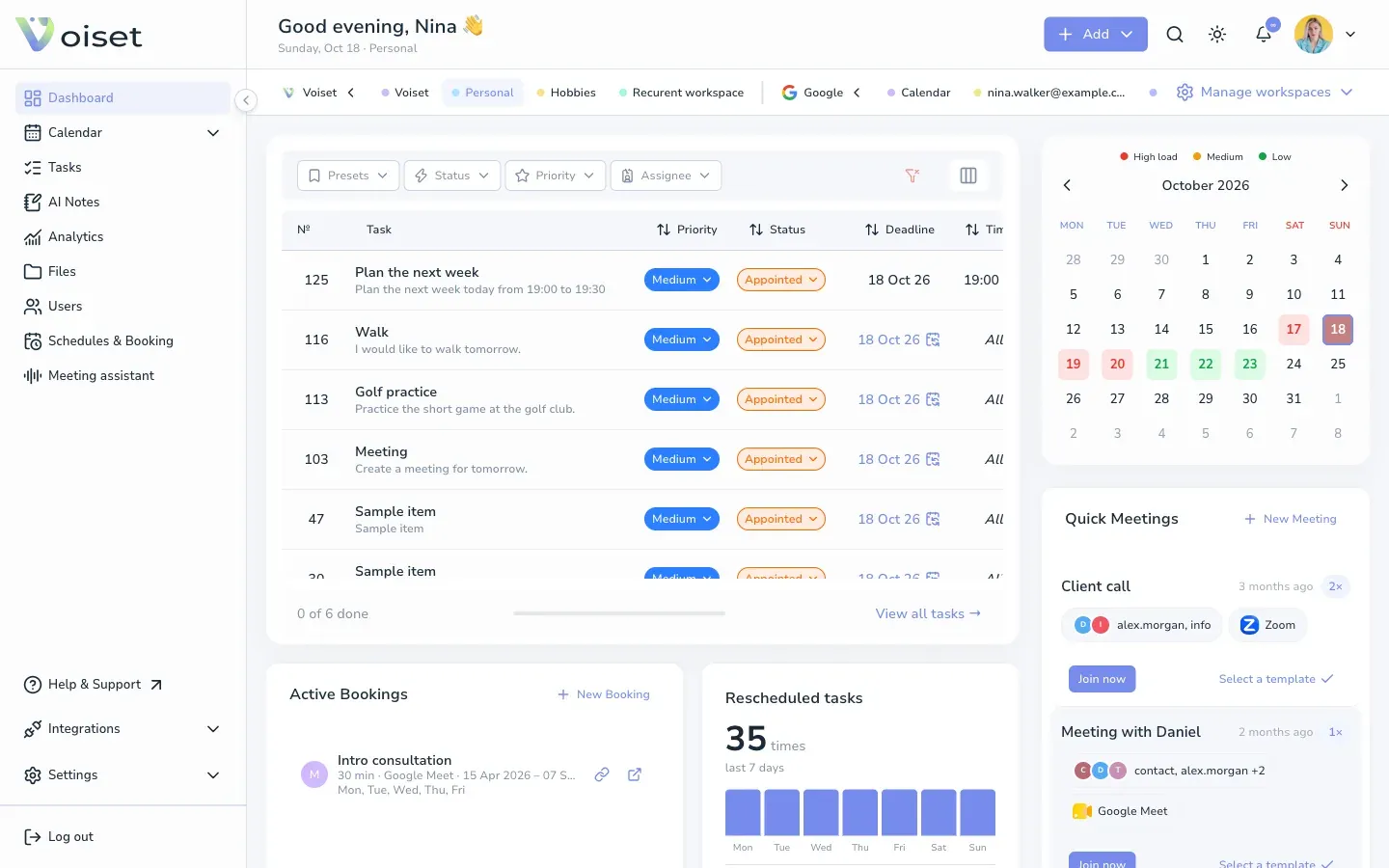
Each card shows:
- the name of the call,
- when it last happened and how many times (for example 2x),
- the participants,
- the platform: Zoom, Google Meet or Teams.
Join a call
Click Join now on the card. The meeting opens on its platform.
Repeat a call
Click Select a template on the card. The call form opens with the same participants and platform. Pick the time, add the topic and click Create call.
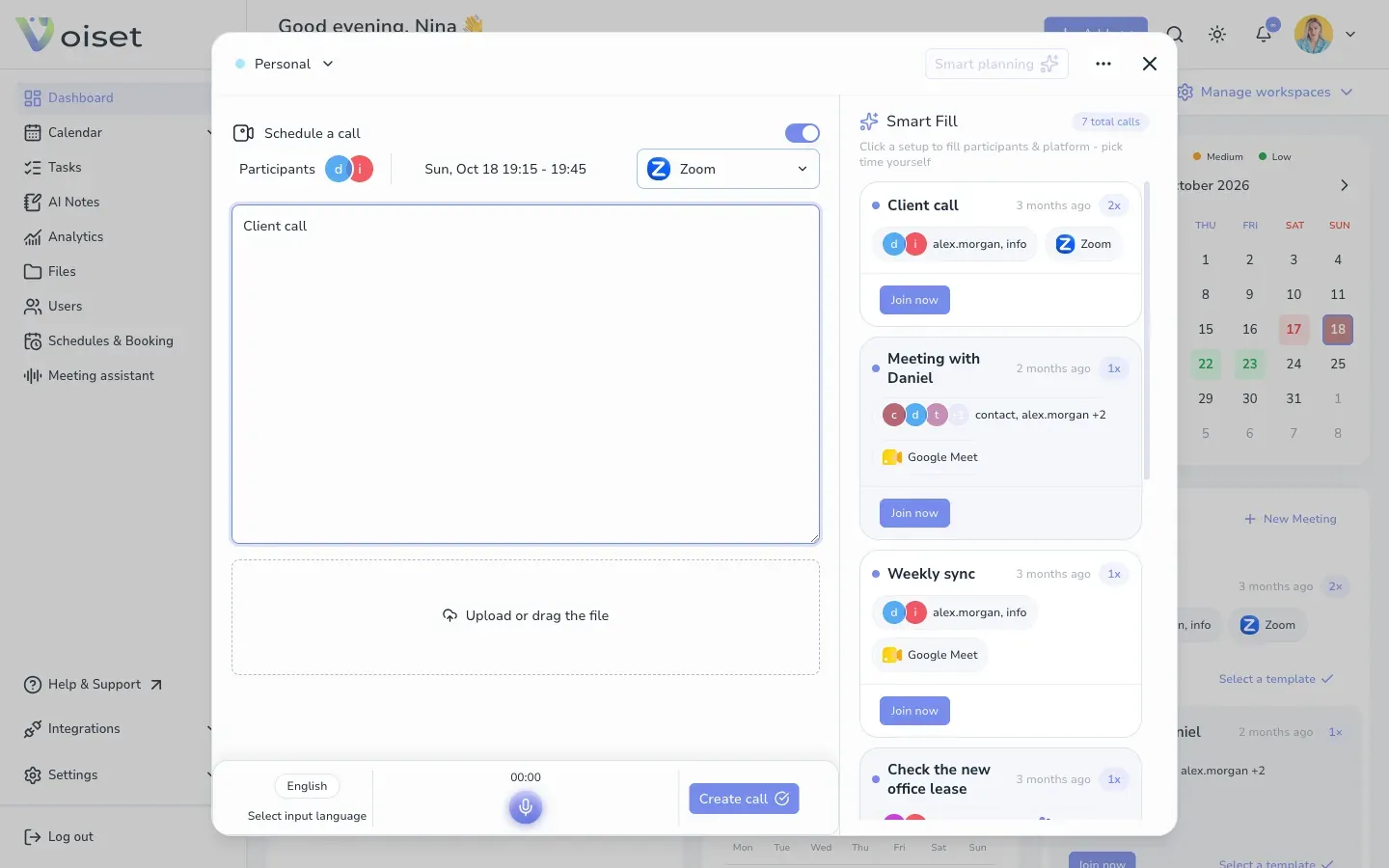
The same cards appear in the Smart Fill panel when you create a call from Add > Schedule a call.
Start a new call
Click New Meeting at the top of the panel. See Create a Meeting.