

Analytics
The Analytics page shows how work is going: how many tasks are done, which are overdue, how long tasks take and how they split by status and priority.
Open Analytics
Click Analytics in the left menu.
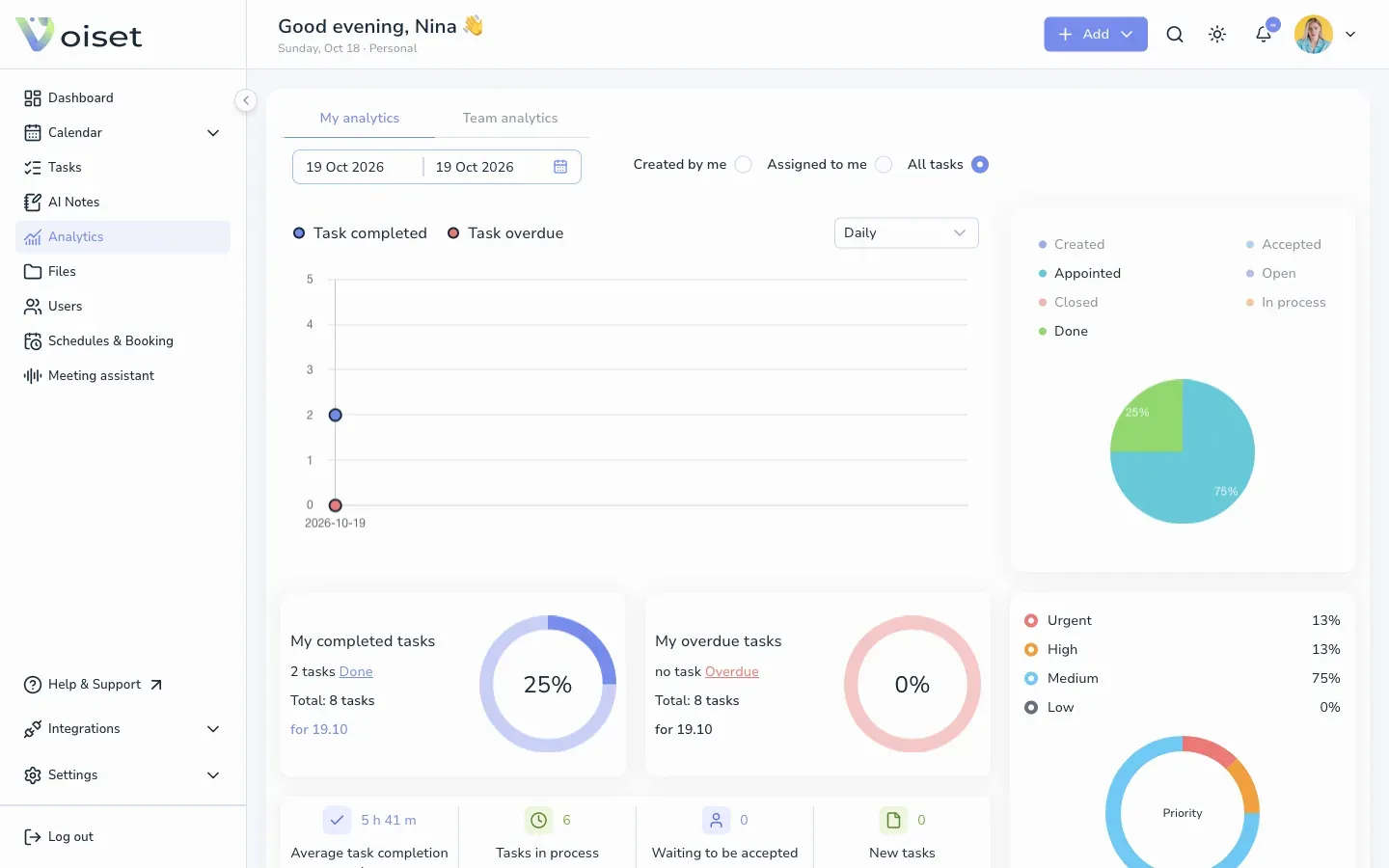
My analytics
The My analytics tab shows your own work.
- Choose the period with the date fields at the top.
- Choose which tasks to count: Created by me, Assigned to me or All tasks.
The page shows:
- Task completed and Task overdue on a chart. Switch the step between days and longer periods in the drop-down (Daily by default).
- A pie chart of tasks by status: Created, Accepted, Appointed, Open, Closed, In process, Done.
- My completed tasks and My overdue tasks with their share of all tasks.
- The split by priority: Urgent, High, Medium, Low.
- Average task completion, Tasks in process, Waiting to be accepted and New tasks.
Team analytics
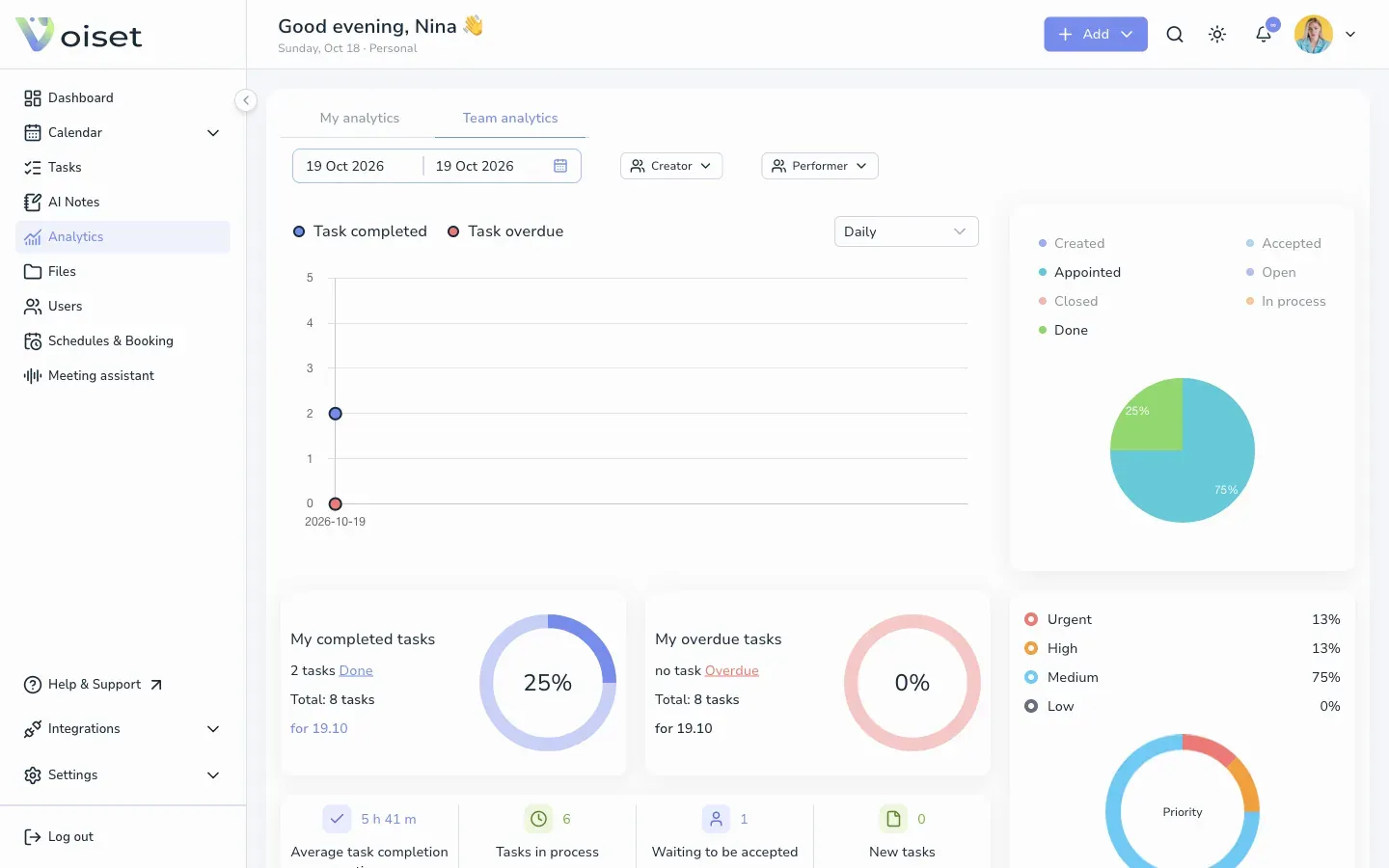
Open the Team analytics tab to see the same numbers for the team. Filter by Creator and Performer to look at one person.
Tips
- Mark tasks as Done when you finish them, so the numbers stay accurate. See Change Task Status and Priority.
- A growing number of overdue tasks is a signal to move work to freer days. See Workload and Drag and Drop in the Calendar.